Photoshop II: Advanced Techniques
Course Code: 26FOEDW202IDates: October 17 - November 14, 2026
Meets: Sa from 10:00 AM to 1:00 PM ET
Location: ICP (84 Ludlow Street)
Course Tuition: $530
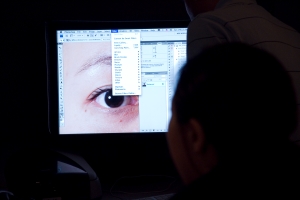
Students explore more advanced image editing possibilities in Photoshop, gaining skills for finely crafting photographs for both digital and print presentation. Following a comprehensive overview of available tools, students learn how to create selective adjustments, part of a non-destructive approach to image editing. Strategies for layer blending, masking, and black and white conversion are also covered.
Note: This class requires access to Adobe Photoshop. To start your free trial and set up your account, prior to the first class, please visit Adobe.com and sign up for access to Photoshop through Creative Cloud.
Course Level / Prerequisite: Intermediate Photoshop: You are familiar with the use of Photoshop. You understand working with layers, camera raw conversion, and color and tonal adjustments. You may be interested in developing experience with local adjustments, blending modes and more advanced tonal and color adjustment techniques.
Courses are subject to minimum enrollment. Please register early, within five days of the start-date, to reduce the likelihood of course cancellation and to ensure you receive all course-related materials in time to prepare for class.
| Fee: | $530.00 |
|---|---|
| Hours: | 15.00 |
Save 10% - 40% off course tuition with an ICP Membership
Fee Breakdown
| Category | Description | Amount |
|---|---|---|
| Course Fee (Basic) | Course Tuition | $ 530.00 |
ICP (84 Ludlow Street)
Lavonne Hall
Faculty Bio| Date | Day | Time | Location |
|---|---|---|---|
| 10/17/2026 | Saturday | 10 AM to 1 PM | ICP (84 Ludlow Street) |
| 10/24/2026 | Saturday | 10 AM to 1 PM | ICP (84 Ludlow Street) |
| 10/31/2026 | Saturday | 10 AM to 1 PM | ICP (84 Ludlow Street) |
| 11/07/2026 | Saturday | 10 AM to 1 PM | ICP (84 Ludlow Street) |
| 11/14/2026 | Saturday | 10 AM to 1 PM | ICP (84 Ludlow Street) |
You must have access to Adobe Photoshop for this course. To start your free trial and set up your account, prior to the first class, please visit Adobe.com and sign up for access to Photoshop through Creative Cloud. You should have tiff and raw files to work with for the first class.